Potencia UP LATAM 2026: one of the 100 selected companies · Participation in progress · Education and future of work
See the programHow it works
From your materials to team training.
From your procedures to courses and activities. Support people with practice, a tutor and review; then follow progress and assessments.
How it works, step by step
Real product screens, with demo data.
01 / Create
Your procedures become your own courses
Upload a document (PDF, Word or PowerPoint), paste a YouTube video or a web page, or describe it in a sentence. AI proposes modules, lessons and assessment; your team reviews and edits before publishing.
- Courses in Spanish or English, pitched at the audience's level.
- Already have SCORM courses? They import into the same record.
- Build interactive lessons with quizzes, matching activities and flashcards; preview the answers and feedback before sharing a review link.
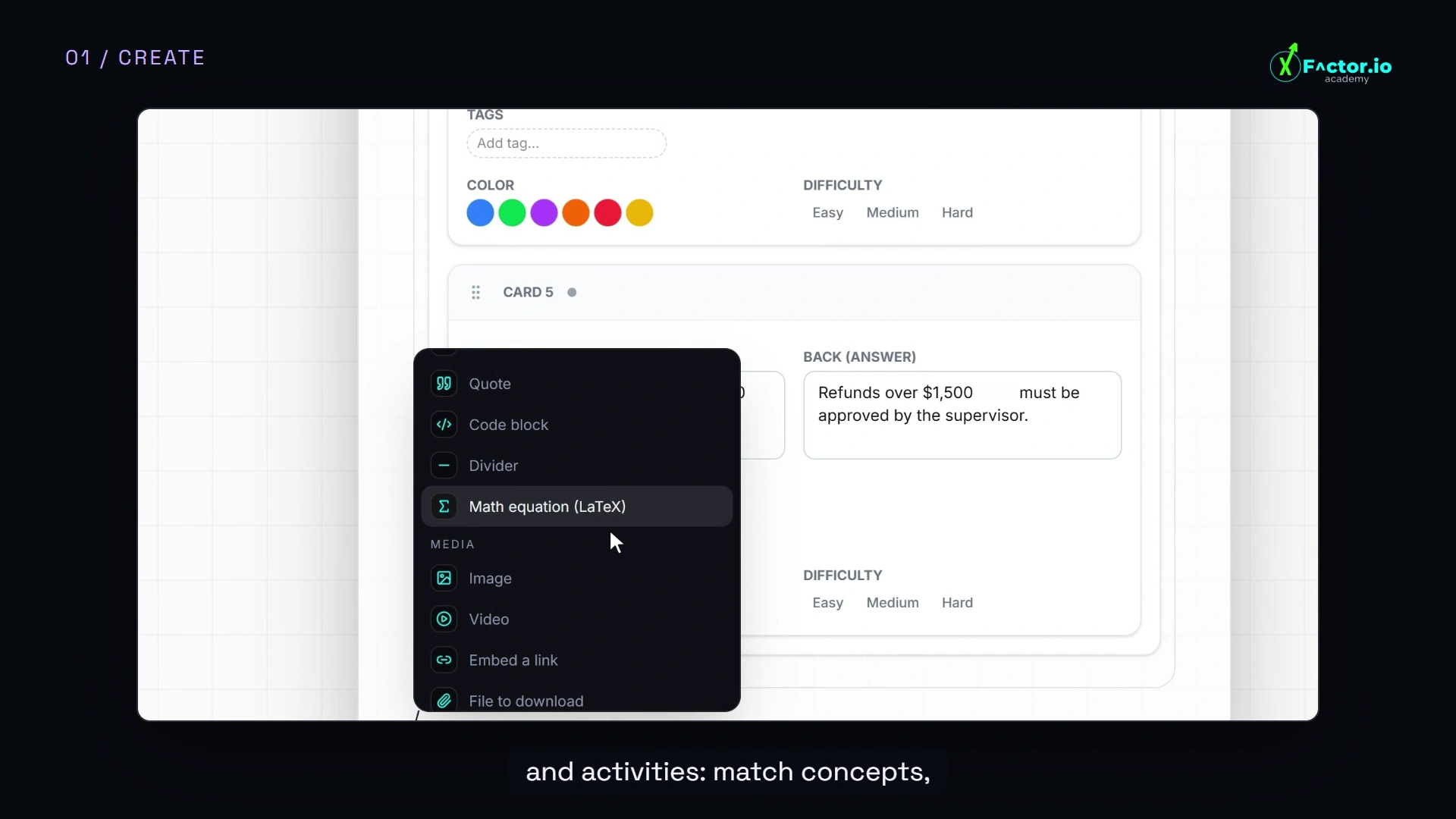
Creator Studio · interactive lesson blocks 02 / Deliver
It reaches people where they already are
You enrol a whole team at once, with opening and closing dates, and the reminders go out on their own. The lesson opens in the phone's browser: nothing to install.
- Bulk upload: individual invitations or a CSV, up to 500 people per batch.
- Teams your way: by area, site, shift, project or contractor.
- Reminders and follow-up on WhatsApp, from the Pro plan. Lessons can also arrive in Slack.
- Corporate sign-in: Google or LinkedIn accounts, and SCIM provisioning from your directory.
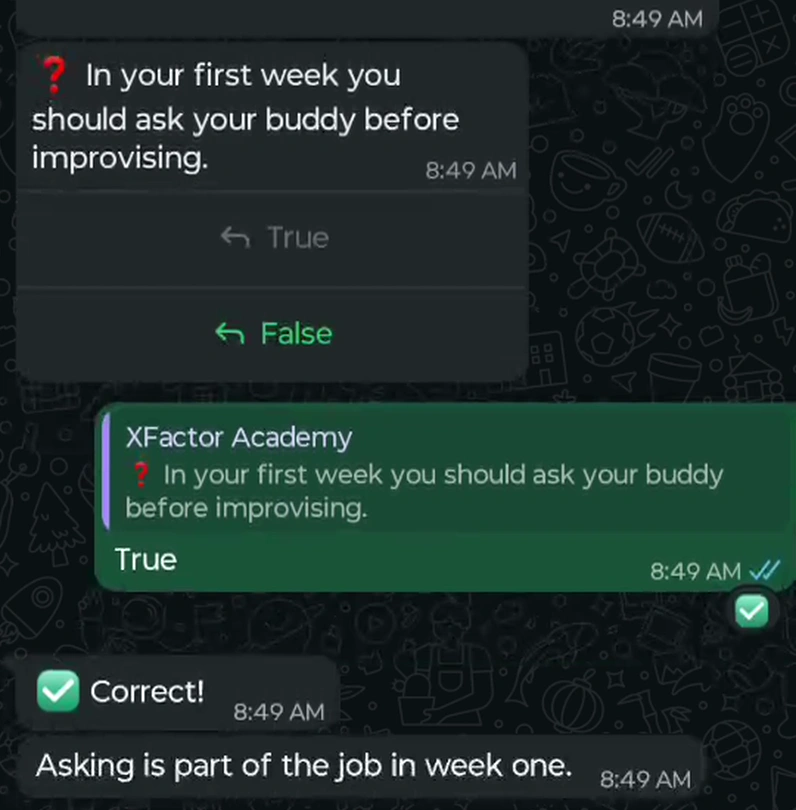
One of the channels: an interactive lesson in WhatsApp 03 / Practise
They practise before the real situation
Branching 3D scenarios: every decision leads to another scene and is scored. They run in the browser, no headset, and fit what is learned by deciding: handling a complaint, reporting an incident, checking before a task.
- You create the scenarios: with AI, from a template or from scratch (scenario creator on the Scale plan).
- An AI tutor with voice in English or Spanish, grounded in your course content.
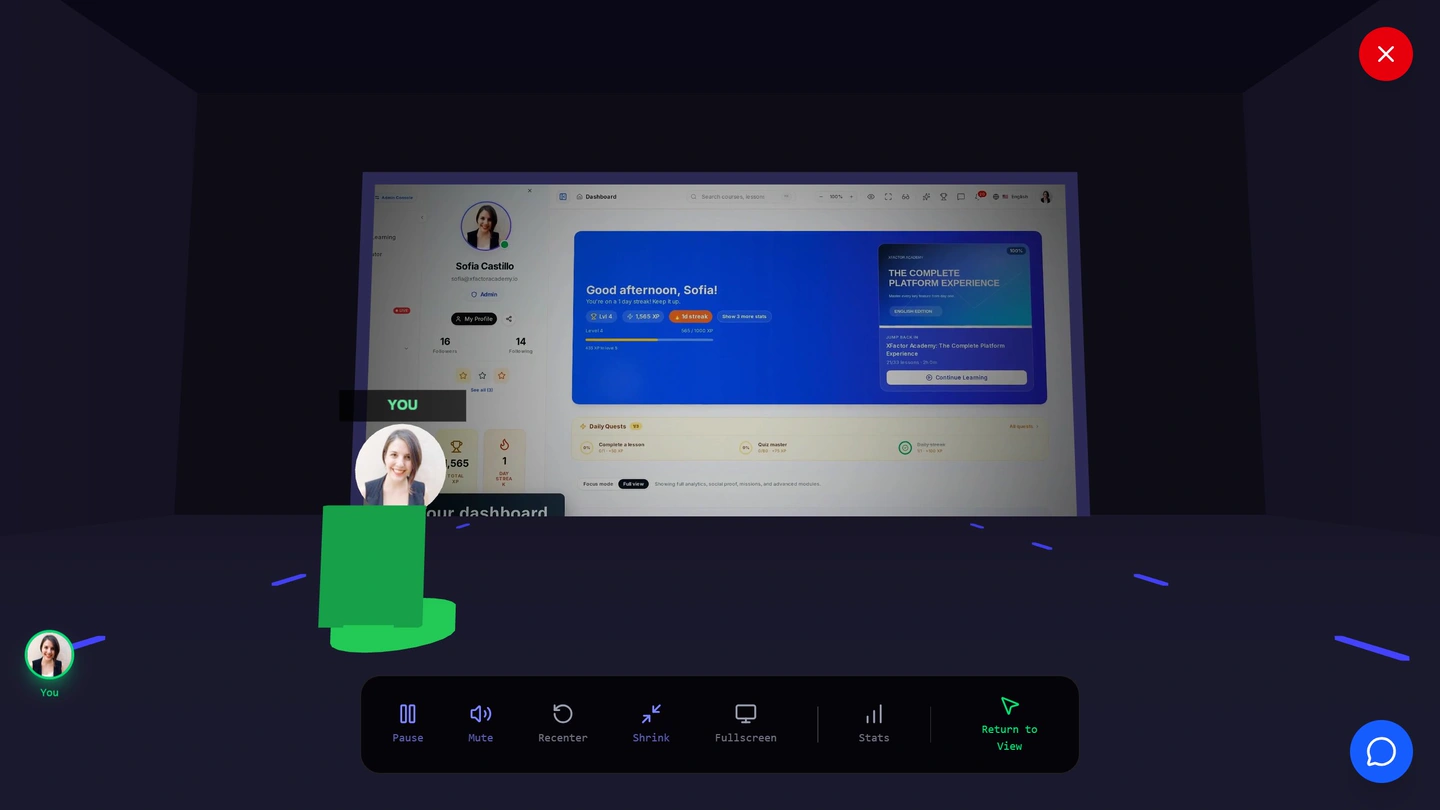
A 3D scenario with decisions · no headset 04 / Personalize
Support to understand. Review to practice again.
The tutor answers questions about the course. In Review, the learner recalls an answer, compares it and rates how much more practice they need.
- Six voice assistants, with hair and outfit options on compatible avatars.
- Review cards with answer reveal and self-rating of recall.
- A learner dashboard brings together courses, progress and next actions.
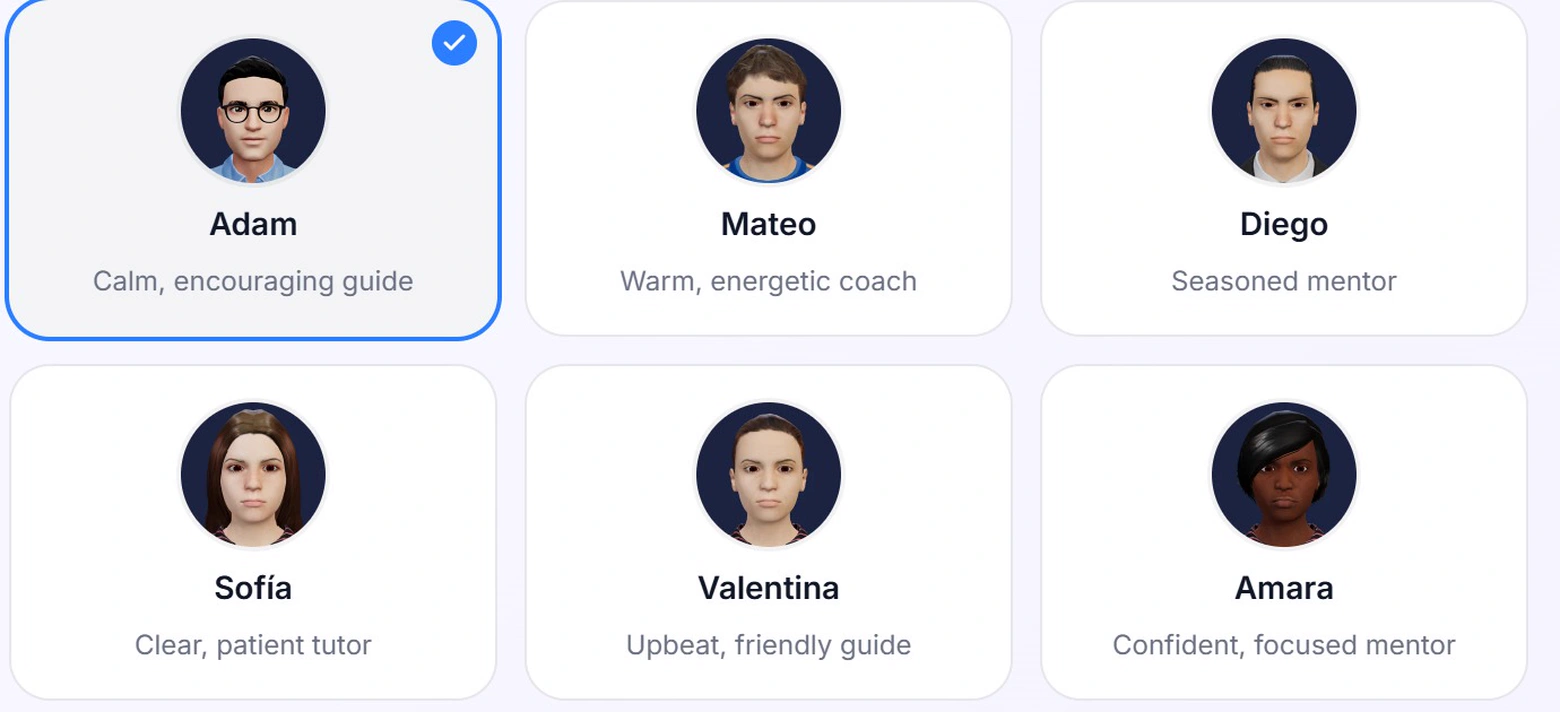
Contextual support and Review 05 / Motivate
Progress gets celebrated
Live sessions and spaced review complement the lessons. Quests, streaks, leagues and team challenges give people a reason to return.
- Achievements with XP rewards, visible on each person's profile.
- Weekly leagues per organization: those who progress most move up a league.
- A community with a wall, forums and posts.
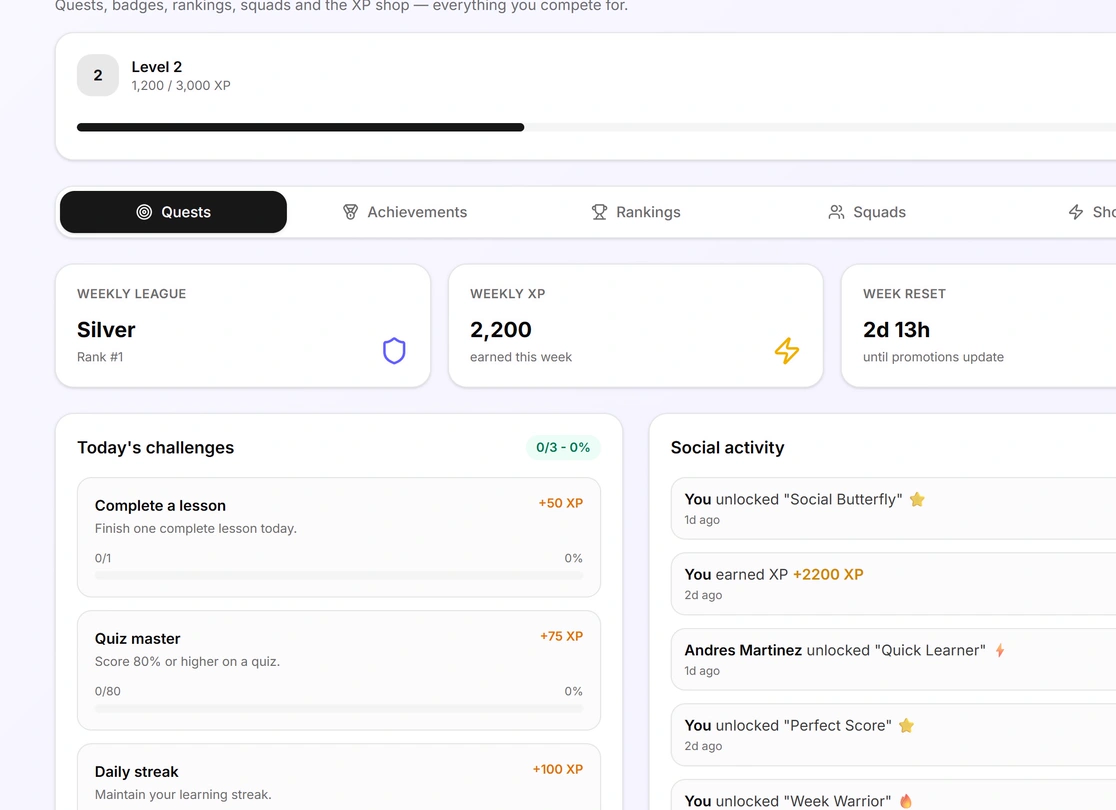
Quests, leagues and team progress 06 / Prove
Evidence in view for the people leading training
The company dashboard brings active people, compliance, certifications and average time to complete into one view, and each person has a record: who finished, passed, practised and holds a current credential.
- Evidence by team and by person: who finished, passed, practised and holds a credential. Export to CSV: the last 7, 30, 90 or 365 days, or all time.
- Review submissions with a rubric and written feedback; use lesson analytics to see where completion drops.
- Verifiable credentials with a cryptographic signature (Open Badges 3.0): anyone can check them on a public page.
- Expiry notices 30, 14, 7, 3 and 1 day before a certification lapses.
- Data that travels: xAPI, LTI 1.3, SCORM and cmi5 records into your other systems.
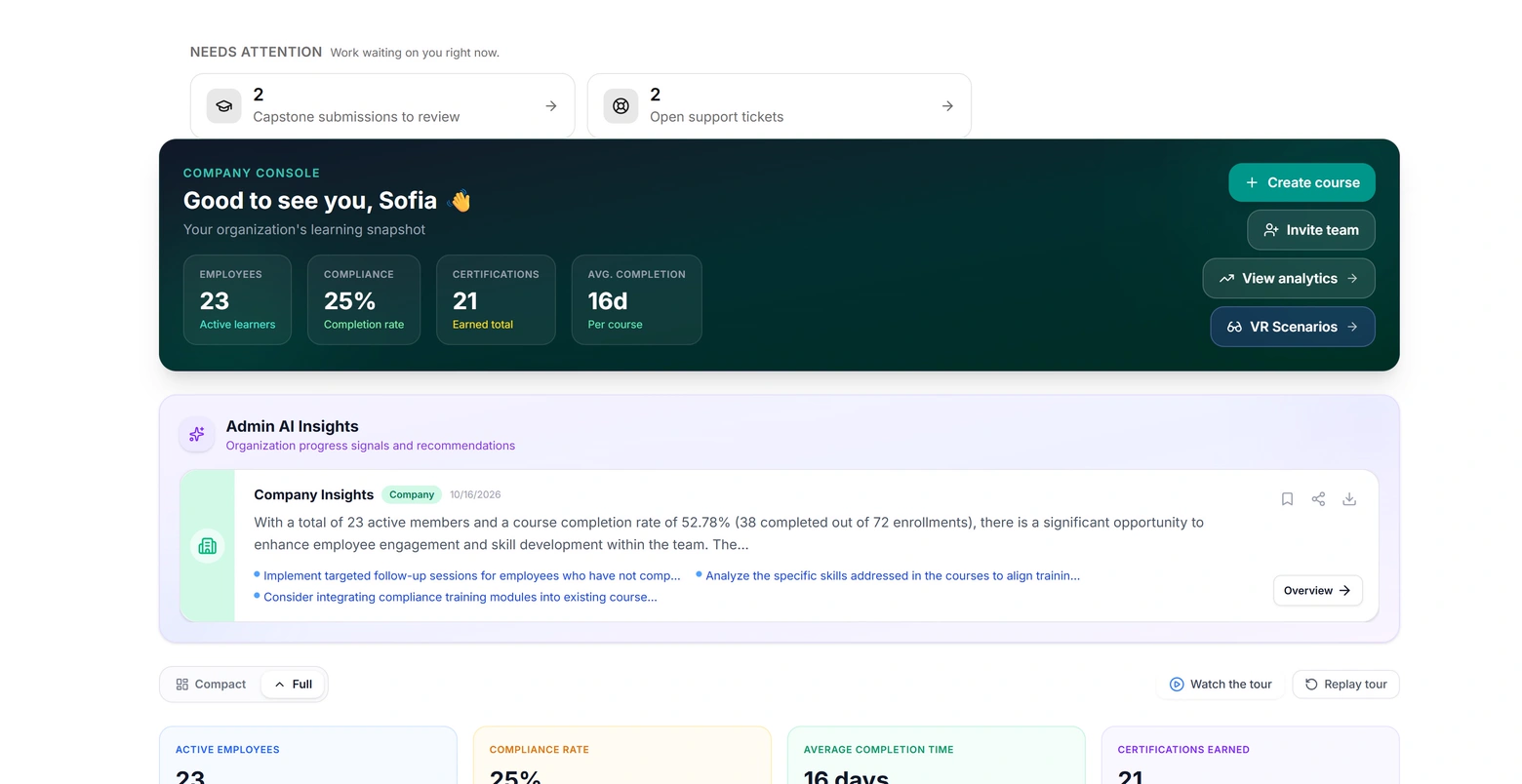
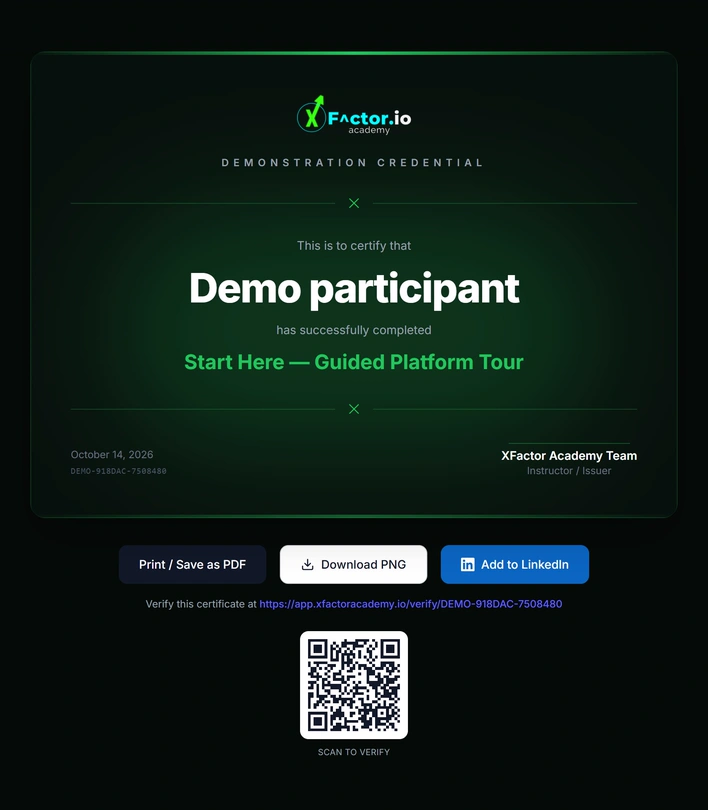
Company dashboard and evidence by team
Included in every plan
The basics of an enterprise platform, with no extra modules.
Corporate sign-in
Sign in with Google or LinkedIn, and SCIM provisioning from your directory, on every plan.
Standards
xAPI, LTI 1.3, SCORM import and export, and cmi5 and Common Cartridge export.
Isolated data
Manage access by organization, role and course, with permissions for authors, reviewers and learners.
An AI tutor with voice and a 3D avatar
Answers in English or Spanish from course content. Check your plan’s AI and media usage terms.
Spanish and English
Interface, tutor and courses in both languages.
CFDI invoices
Pay in Mexican pesos and you receive a CFDI for every payment.
Founding Cohort · November 2026 – January 2027
Start with one team and one procedure.
Run your first course with a real team before expanding across the business.
- 1You choose a procedure and a team.
- 2We build the first course with you, from your real material.
- 3It is assigned and practised with that team, and you get the evidence and the report.
- 4If it works, you extend it to the rest of your organisation with a founder price frozen for 12 months.
Terms and founder pricing are confirmed with you in writing before you commit.
Apply to the Founding Cohort
Start with one team. We build the first course with you.
Founding Cohort · November 2026 – January 2027 · Applications open
or I prefer to talk first
Book your call directlyFrequently asked questions
What people ask us first.
No. Lessons open in the browser on a phone or computer, and reminders reach people through the channels that fit their day, such as WhatsApp or Slack. The 3D practice also runs in the browser; a headset is optional.
Lessons and WhatsApp reminders work on any smartphone with a browser. The 3D practice asks for more: it runs best on a recent phone, a tablet or a computer.
Every quiz is graded on the server, every completion is recorded, and each credential carries a cryptographic signature anyone can verify on a public page. Records follow the xAPI standard, so they travel to other systems.
No. XFactor turns your own company's knowledge into training: the content is yours. If your company is able to issue official certificates, such as Mexico's STPS DC-3, it issues them with its own data.
Spanish and English, both first-class: the interface, the tutor and the courses.
Each organization's data is isolated from every other's, and its content only answers its own people's questions.
Another question?
Make learningyour advantage.